ABOUT
Not That Abstract
Courses to watch, to read and to redo yourself.
Three steps,
one name.
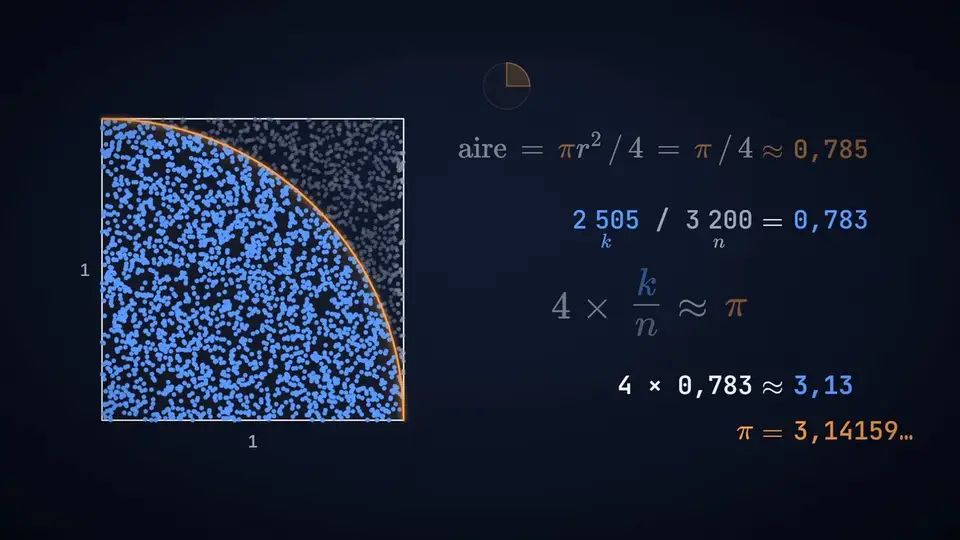
The course is named after the method every session follows. Here it is on 400 darts, the first of seed 21 that the films and the lab replay, drawn right here.
-
1
Predict
You bet before you simulate.
± 0.16
Before the first sample, you write down what you expect: with 400 darts, π to within ± 0.16, nineteen times out of twenty. A bet written before the computation cannot be rewritten after it.
-
2
Simulate
With fixed seeds.
4 × 320 / 400 ≈ 3.20
You throw the 400 darts; 320 land in the quarter disc. The seed is fixed: the same sequence comes out every time, here as in the film. Every number on screen comes from a real simulation.
-
3
Verify
Against a judge.
π = 3.1416
The judge is the exact value. The gap is 0.058, below the announced margin: the bet is won. In the course, the judge is a closed-form formula, a tree, a published result.
Who makes it
Course designed and taught by Adil TIBA, Financial Analyst FP&A at Lenovo, Europe & META.
The course Dynamic Optimization and Monte Carlo Methods in Python is taught at Université Sorbonne Paris Nord, to students of:
- Master 2 MBFA – Financial Engineering and Modelling
- Master 2 MBFA – Insurance Engineering
Write to: adil.tiba.fr@gmail.com.

Where to watch the films
On this site, on the page of each session, with their chapters, their subtitles and their transcript.
How it is made
The films. The data of every animation is computed by a Python script with a fixed seed (NumPy, SciPy), then animated with Remotion and three.js. The music and sound effects are composed for these films.
The site. Astro, KaTeX for the formulas, Pyodide for Python in the browser, Pagefind for search. NumPy’s generator is rewritten bit for bit, so that the lab replays the films’ samples.